 Voyah Cloud
Climate and schedule
Start climate control now or prepare the car for a planned departure.
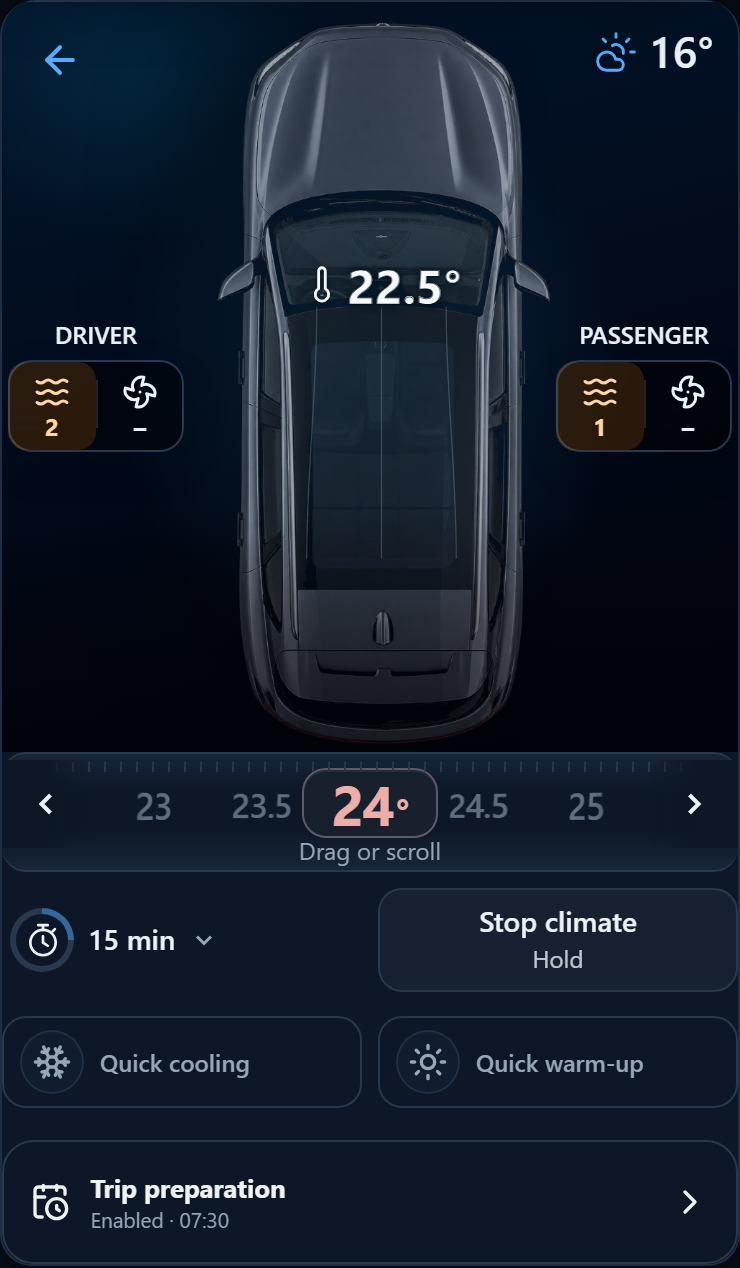
Control climate now
Open the Climate widget on the home screen.
- Select the temperature below the cabin diagram, then tap the duration control to set the running time.
- Read the main action and hold the button until its outline fills.
- Check notifications and the climate state on the home screen.
When climate is off, the main button starts it. While it is running, the button stops it; after changing temperature or duration, it applies the new settings. In that case, stop is available under the arrow beside the button. If the state is unknown, the app explains why the action is unavailable.
Quick heating and Quick cooling are also available. Hold these buttons to send their commands.
Set up trip preparation
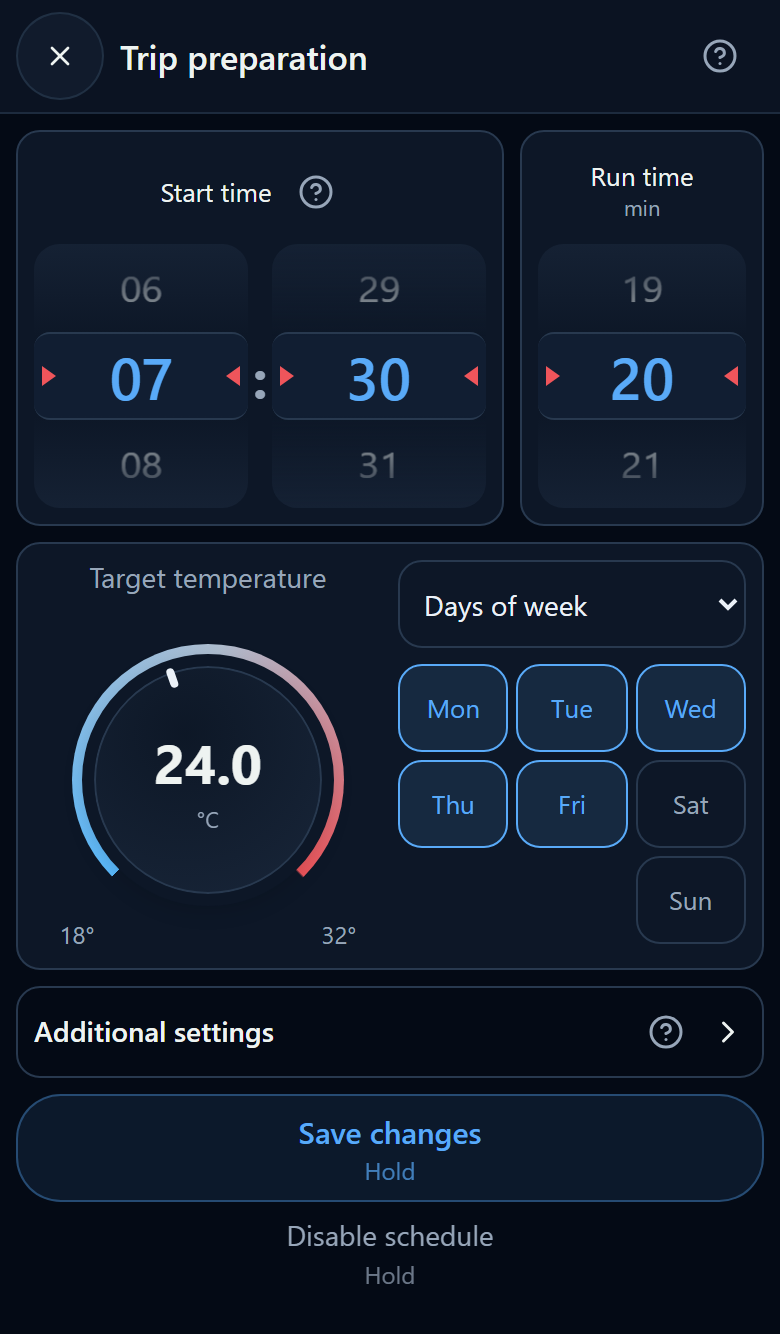
- Open Trip preparation to view the schedule dialog.
- Choose a start time and a one-time start or repeat on selected weekdays.
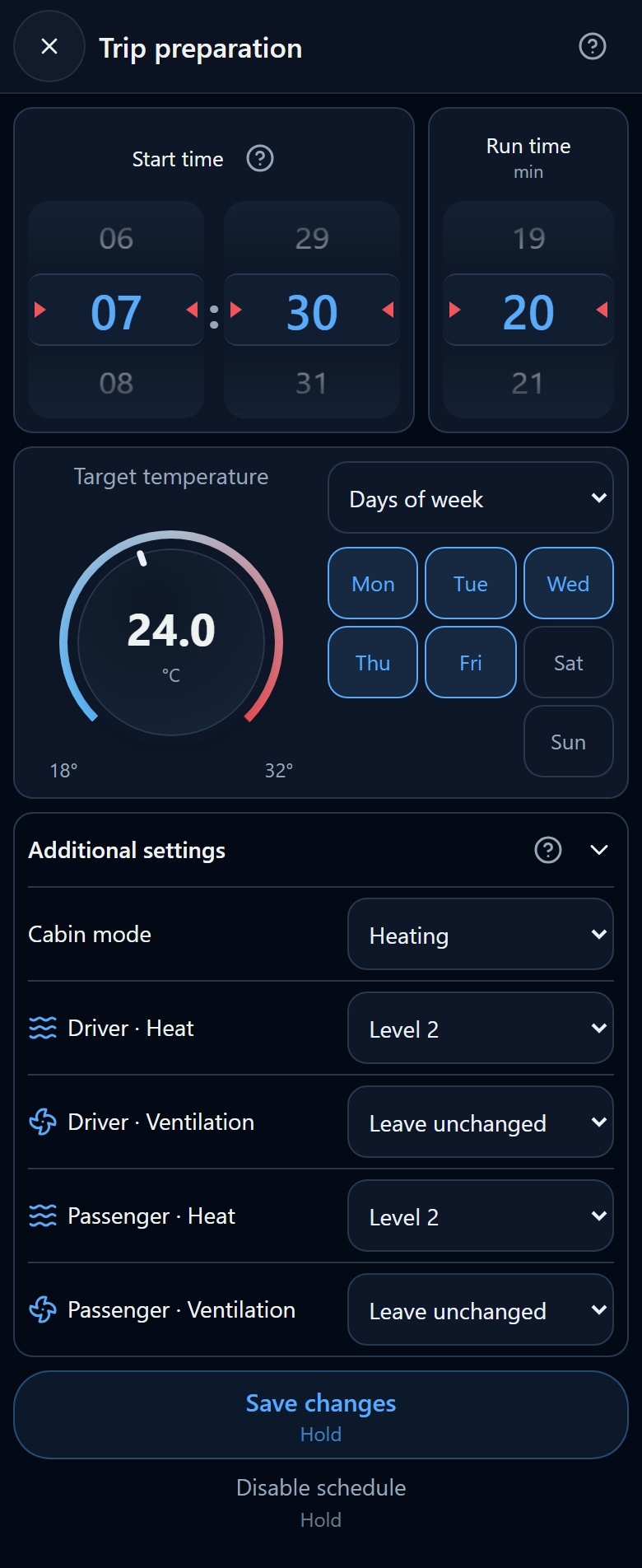
- Set temperature and duration. Expand the seat settings if needed.
- Hold Save and enable for a new schedule or Save changes for an enabled schedule. Wait for command confirmation.
Choose the time in the browser’s time zone on your phone or computer. The app converts it using the latest known T-Box offset. If that offset is unavailable, it uses the browser offset: check the vehicle clock before setting the schedule. Recheck time and days after changing time zones.
One time applies to every selected day, for example 07:30 Monday to Friday. Different times for different days are not supported in one schedule.
Advanced settings and disabling
Expand the advanced settings to select available seat heating or ventilation modes. Seat heating works separately: its shutoff time is unknown and the cabin timer does not apply to it.
To cancel future starts, reopen this dialog and hold Disable schedule. This does not stop climate control that is already running.
Enabled reflects the last successful command, not a readback of the vehicle’s schedule. Editing the form or waiting for confirmation does not prove that the settings were applied. Closing without saving sends no changes.
Additional commands
Expand Additional climate commands for available individual climate and seat actions. Hold the required button to send a command. The cabin lighting and animation represent available climate information; they do not replace the command result.
 Long screenshot preview
Check the result
Check notifications and the current vehicle state. If the start time is unknown, the app says so rather than promising an exact remaining time. Errors are highlighted in notifications. Retry when the vehicle is online. See Sleep and wake-up.