 Voyah Cloud
Maintenance
Track remaining mileage and time until service, log completed work and record its cost.
Mileage and next service
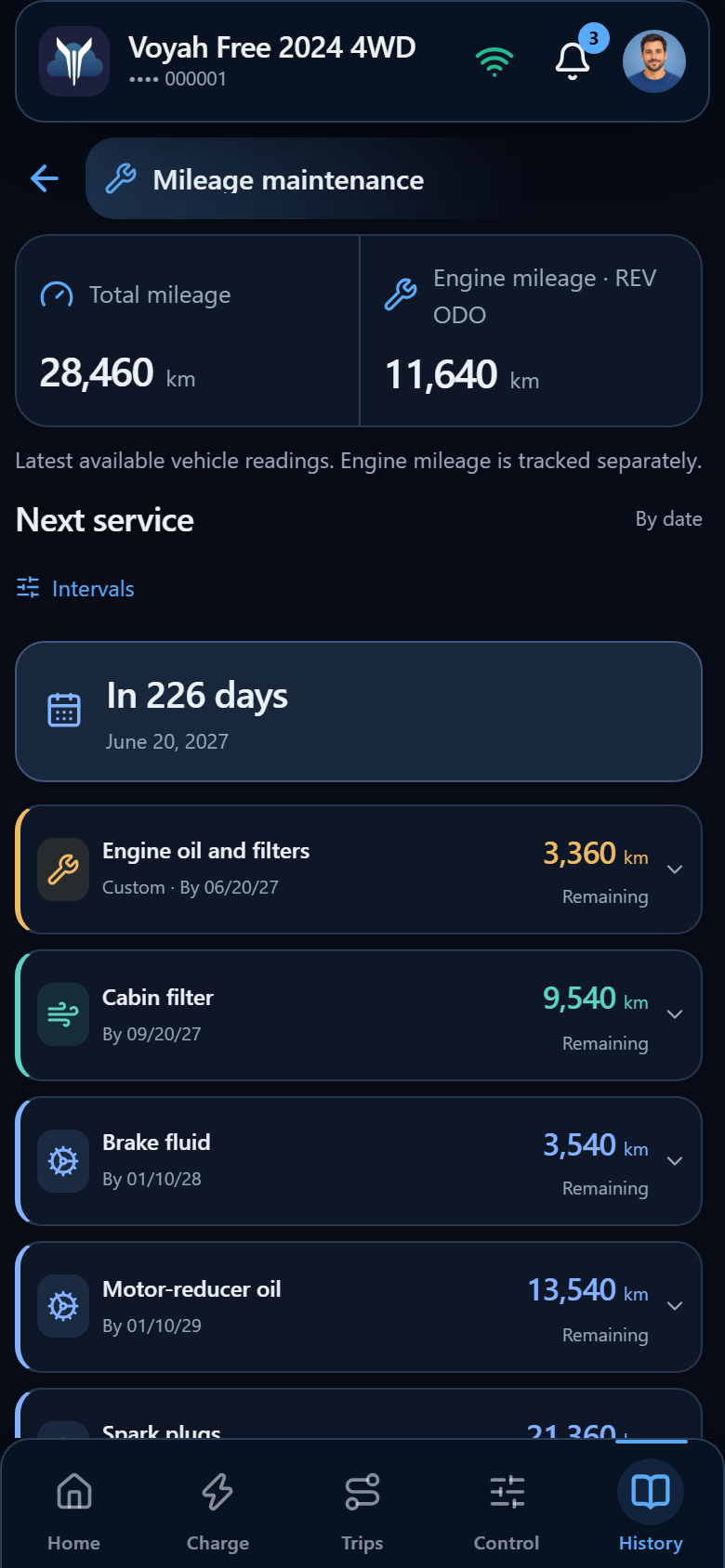
Open More → Mileage maintenance. The latest available Total mileage and Engine mileage · REV ODO are separate counters.
Next service shows remaining kilometres for each task and a calendar deadline where applicable. Date or mileage, whichever comes first. The day count refers to the calendar deadline; it does not predict when you will cover the remaining distance.
Engine oil and filters use engine mileage; the cabin filter, for example, uses total mileage. Service due appears when a date or mileage threshold is reached. Missing readings are not replaced with zero.
The screenshots contain demonstration records and a user-selected interval. Click any image to enlarge it.
Check the calculation
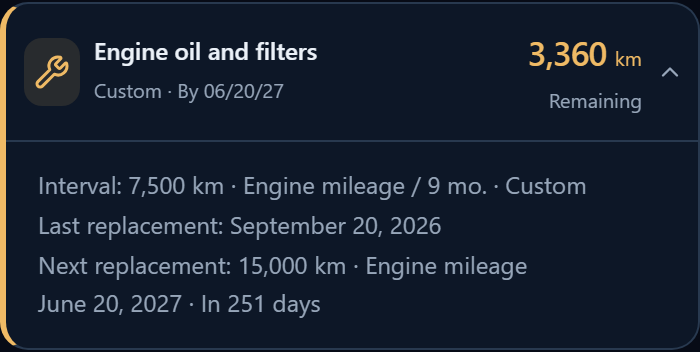
Expand a task to see its interval, last replacement and next mileage target. The app uses the latest record for that particular task. Logging a cabin-filter replacement does not reset the engine-oil interval.
Example: engine mileage at replacement was 7,500 km, with a selected interval of 7,500 km. The next replacement is due at 15,000 engine km. With a current reading of 11,640 km, 3,360 km remain.
Without a completed replacement record, the new version does not assign a next mileage target or date. Log the actual service; engine-based tasks require engine mileage at replacement.
Change an interval
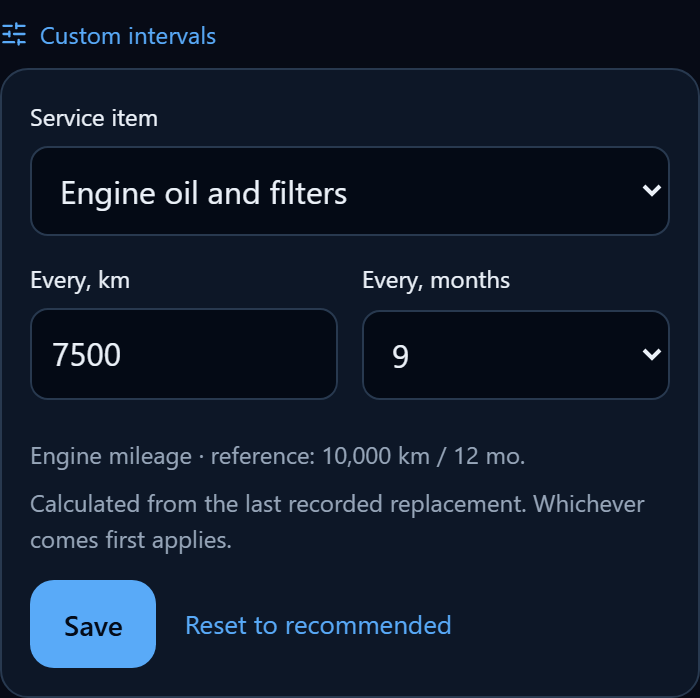
- Open Custom intervals in the next-service section.
- Select the Service item, then Every, km and Every, months. Choose No time limit to disable the calendar deadline.
- Tap Save. Reset to recommended restores the reference settings.
The next replacement is recalculated from the last completed work, whichever mileage or date comes first. History and notes are preserved. Both kilometre and month intervals are saved on the server for the vehicle and available on your devices. Only the owner can edit them.
Log completed work
- In Service journal, tap Log service.
- Enter the Service date and Total mileage on that date.
- Add Engine mileage for engine-based tasks. It does not replace total mileage and cannot exceed it.
- Select Work completed. A description is required for Other work.
- Tap Save. The record appears in the journal and the plan updates for the selected tasks.
Use current readings is suitable when logging service at the current mileage. For an earlier date, enter the readings at the time of the work. Future dates cannot be selected.
 Long screenshot preview
History and cost
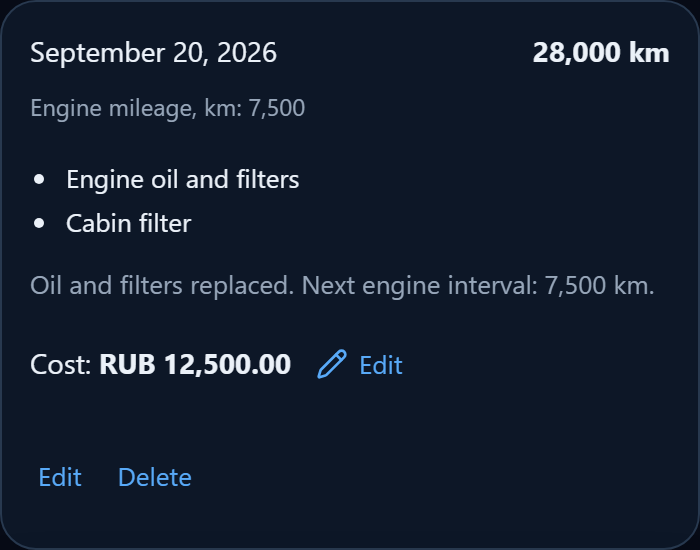
Each record shows its date, mileage and completed work. Edit changes the record; Delete asks for confirmation. Changes and deletions recalculate the plan from the remaining history.
Set the cost separately in the record card: tap Add beside the plus icon, or Edit beside an existing amount. Enter the service cost and save it. It contributes to Expenses for the period containing the service date.
Work records and intervals are available across your devices. Costs are stored only in this browser, so they may be absent on another device.
Reference and vehicle model
The vehicle model and generation come from its profile. The line above next service shows the selected version; Change in profile opens its settings. There is no separate generation selector on the maintenance page.
The current version shows recommendations for confirmed hybrid FREE Apollo and FREE 318 versions. For early FREE without a confirmed EV/REV variant, and other unconfirmed versions, history and custom intervals are preserved but a suitable automatic schedule is not promised.
Spark plugs and refrigerant require clarification, so no automatic deadlines are calculated for them. Completed work can still be logged. The community reference does not replace the vehicle service book.