 Voyah Cloud
Expenses
View costs for a period, compare electricity and petrol, and set prices. Charging sessions assigned to a saved station use that station’s own tariff card.
Total for a period
- Open History → Expenses.
- Choose Day, Month or Year. The arrows beside the date move between periods.
- Review the total and the shares for Electricity and Petrol while driving.
A month is a calendar month, not the last 30 days. Periods use this device’s local time.
The chart shows how many trips could be calculated. Expenses for the period separates estimated trip costs, recorded maintenance costs and their sum. This does not include every possible vehicle expense.
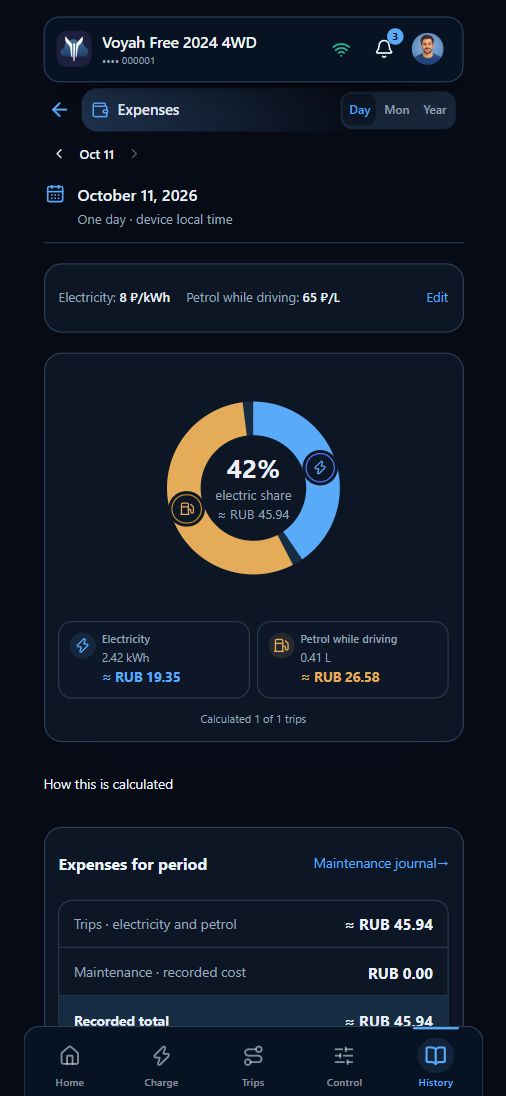
Two different calculations
| What you view | How the cost is obtained |
|---|---|
| Trip estimate | Net battery use and estimated petrol use from telemetry × general prices |
| Refuelling or charging journal entry | Quantity, price and total for that entry; a saved charging station uses its own tariff |
Do not add these figures together: buying energy and using it on a trip are different events. A hybrid can also charge its battery from the engine. Trip estimates are not receipt totals and exclude grid-charging losses.
General prices and trips
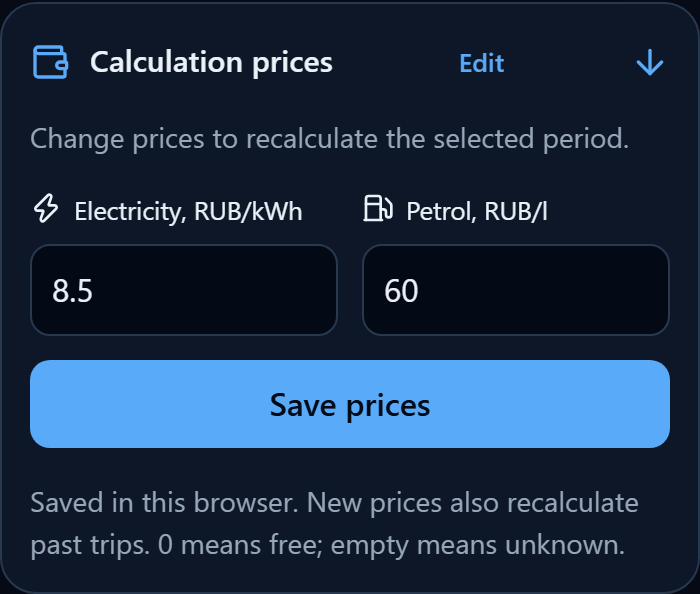
Tap Edit beside the electricity and petrol prices. Enter the price per kWh and litre, then tap Save prices. New values also recalculate past trips. 0 means free; a blank field means the price is unknown.
Prices are saved in this browser. They do not replace a saved charging station’s tariff.
The trip list below shows separate electricity and petrol amounts. Tap an entry to open its trip.
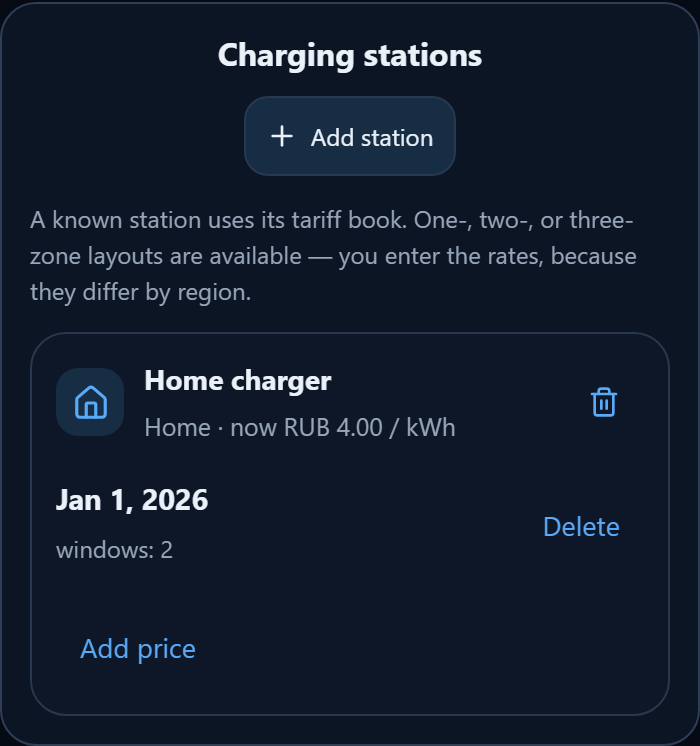
Saved charging station and its tariff
- At the bottom, open Charging stations → Add station. Enter a name and select Home, Public or Other.
- Tap Add price. In Price card, enter the effective date and choose one, two or three zones.
- Enter your rates and time windows. Windows must cover the entire day without gaps or overlaps. Tap Save tariff.
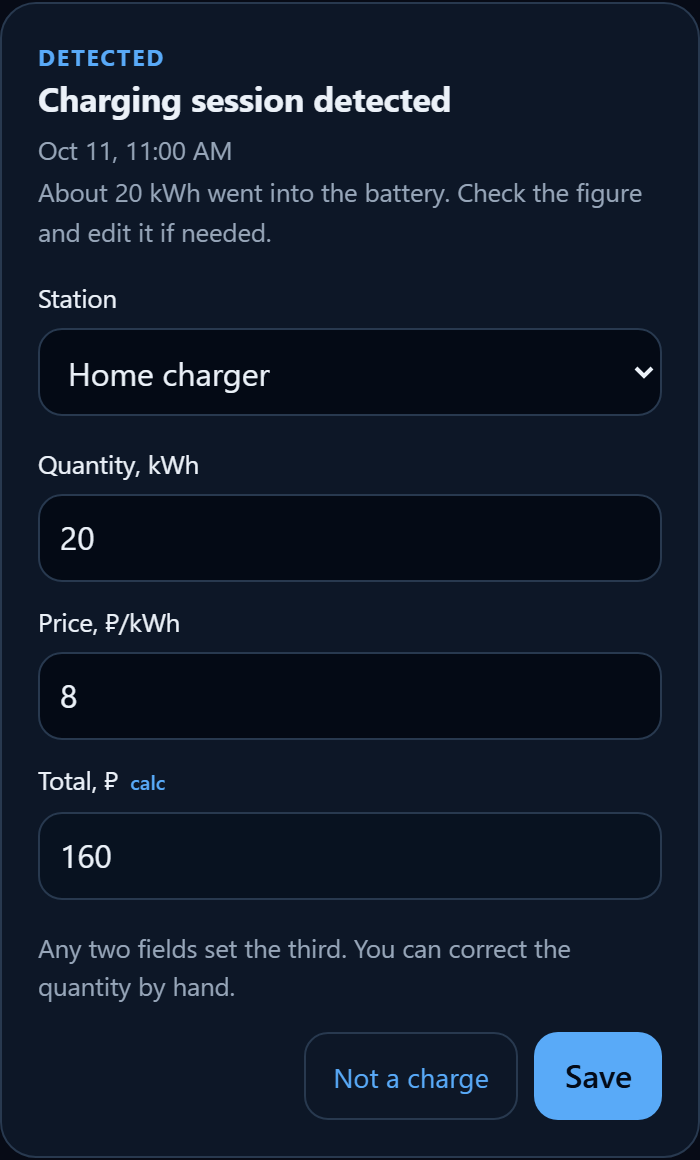
- Select that Station in the detected charging card. When quantity and session times are available, its price and total are recalculated using the station’s tariff. Check the result before saving the entry.
When a session is detected and a saved station is identified, the app applies its tariff automatically. Energy quantity, start and end times, and a valid tariff are required. The station is matched by location or a linked saved place; if only one station is saved, the app uses it. Check that it is the station where you actually charged.
Example: the general trip price is RUB 8.50/kWh, but the home station’s daytime rate is RUB 8/kWh. A 20 kWh session from 09:00 to 11:00 at that station costs RUB 160, rather than RUB 170.
If a session crosses a tariff boundary, energy is allocated between zones in proportion to elapsed time. This is an estimate, not a reproduction of minute-by-minute meter readings. Historical sessions use the tariff version effective at that time.
Regional rates are not supplied — enter your own. Add a new price card with a new effective date when rates change. Changing a tariff does not automatically recalculate previously saved entries.
Refuelling and charging journal
Check an entry suggested by the app, or tap Add refuel / Add charge. Fill in any two fields — quantity, price or total — and the third is calculated automatically. For refuelling, choose the petrol grade and optionally enter the filling station.
If the charging station is unknown or its tariff cannot be calculated, enter the actual cost manually. Check the quantity and total, then tap Save. The confirmed entry appears in the journal. In the checked version, the journal and station directory are stored in this browser.
Missing data
A dash does not mean zero consumption. A missing price or insufficient telemetry can leave the amount unknown; the combined trip total includes only trips with both amounts known. Connectivity gaps can make a period incomplete. Petrol estimates while driving exclude fuel consumed with the engine idling at stops.
For actual payments, check receipts and the refuelling and charging journal.
The colon is restored automatically while entering a tariff time: 0700 → 07:00, 2300 → 23:00. An end time of 24:00 is supported.